
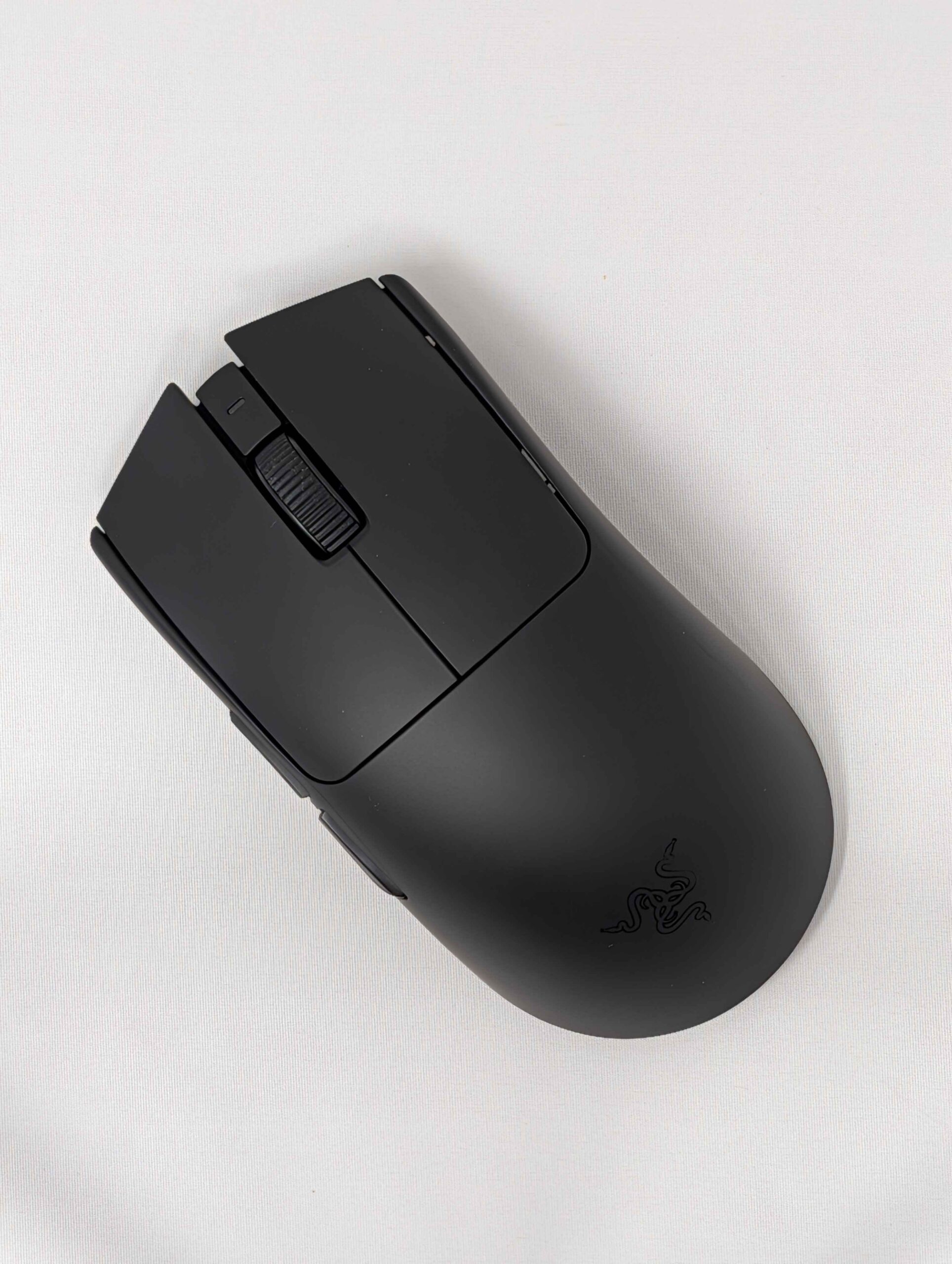
Below is a step-by-step guide showing you exactly how to install a TJ Exclusives Aero base modification on a Razer Viper V4 Pro gaming mouse.
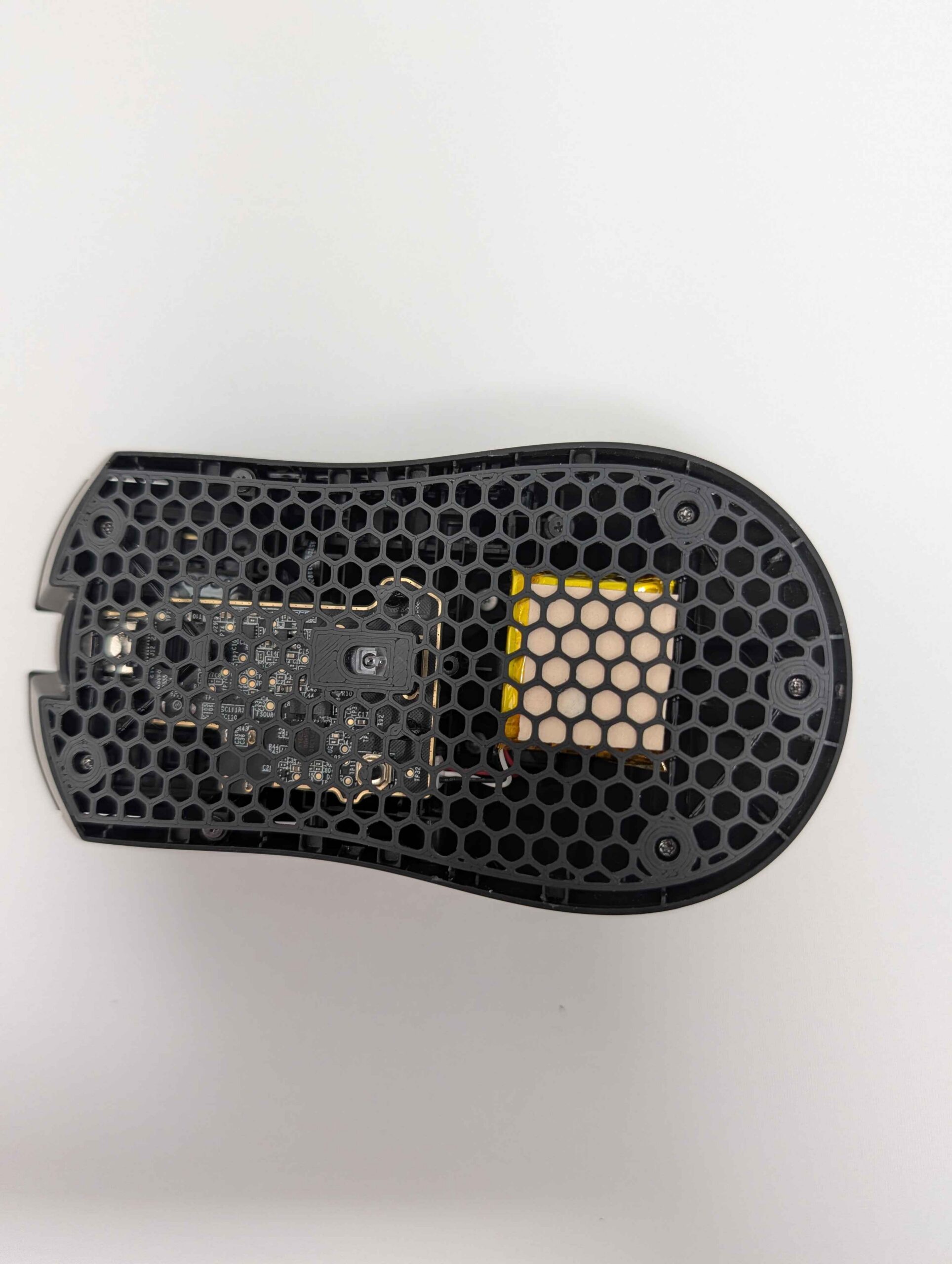
Tools required:
– #00 philips screwdriver
– T6 torx screwdriver
Install Guide
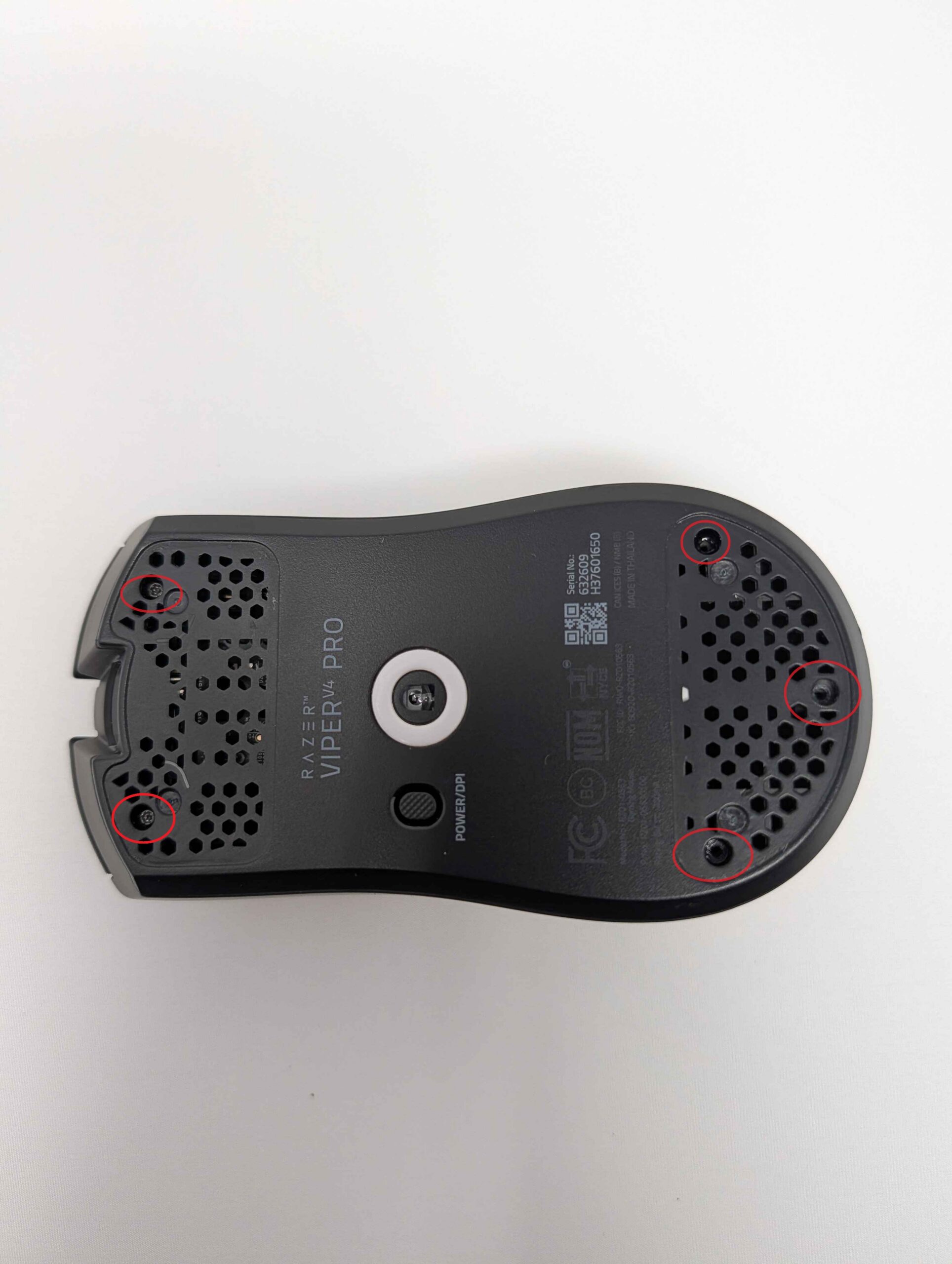
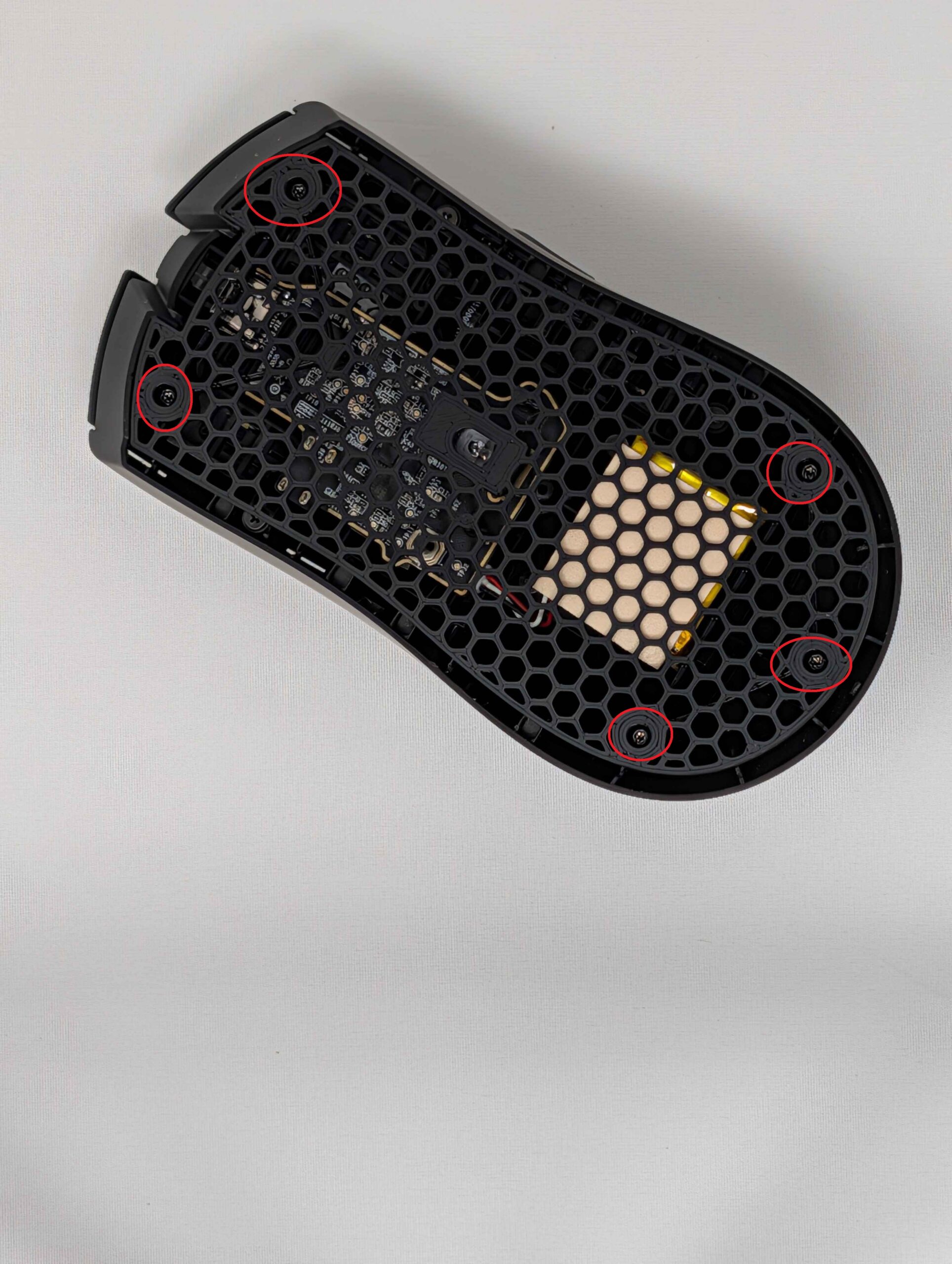
1) Remove the front and rear skates, then remove the five screws with a T6 torx screwdriver.
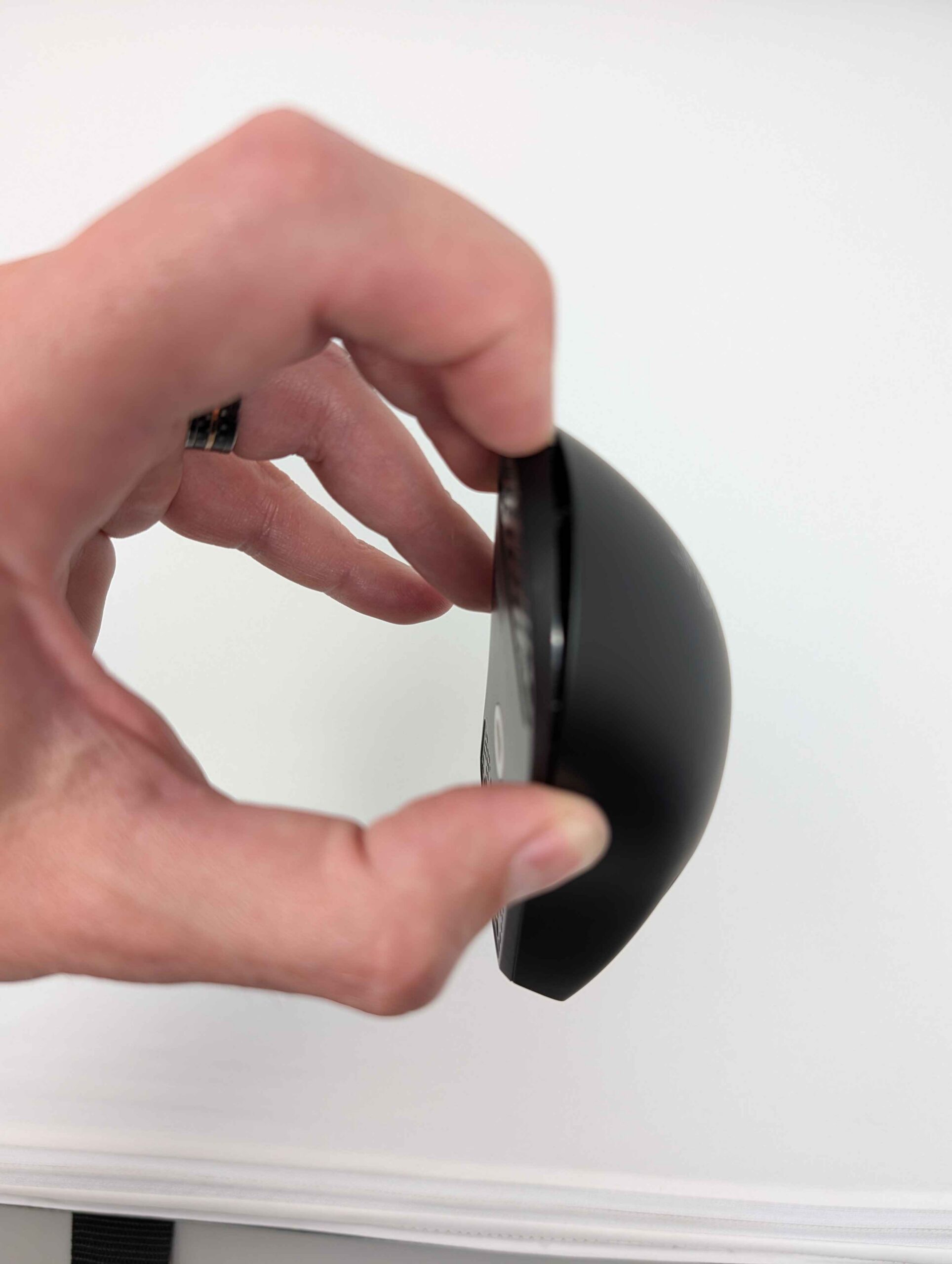
2) Grab the sides of the mouse and then squeeze to start separating the base from the top shell. Carefully pull on the back of the base to unclip it from the top shell. Do not pull it too far as there are electrical cable’s attached between the two.
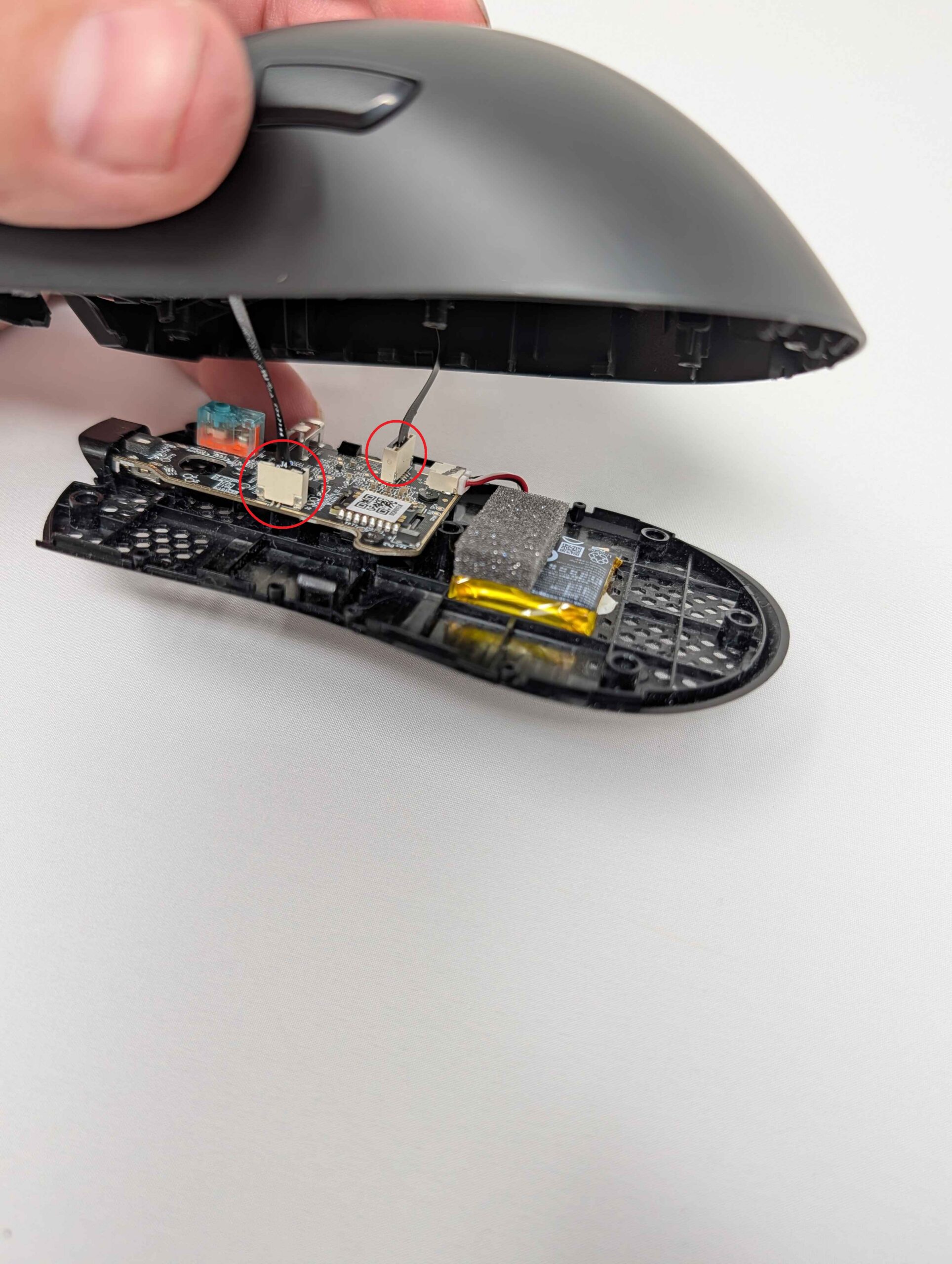
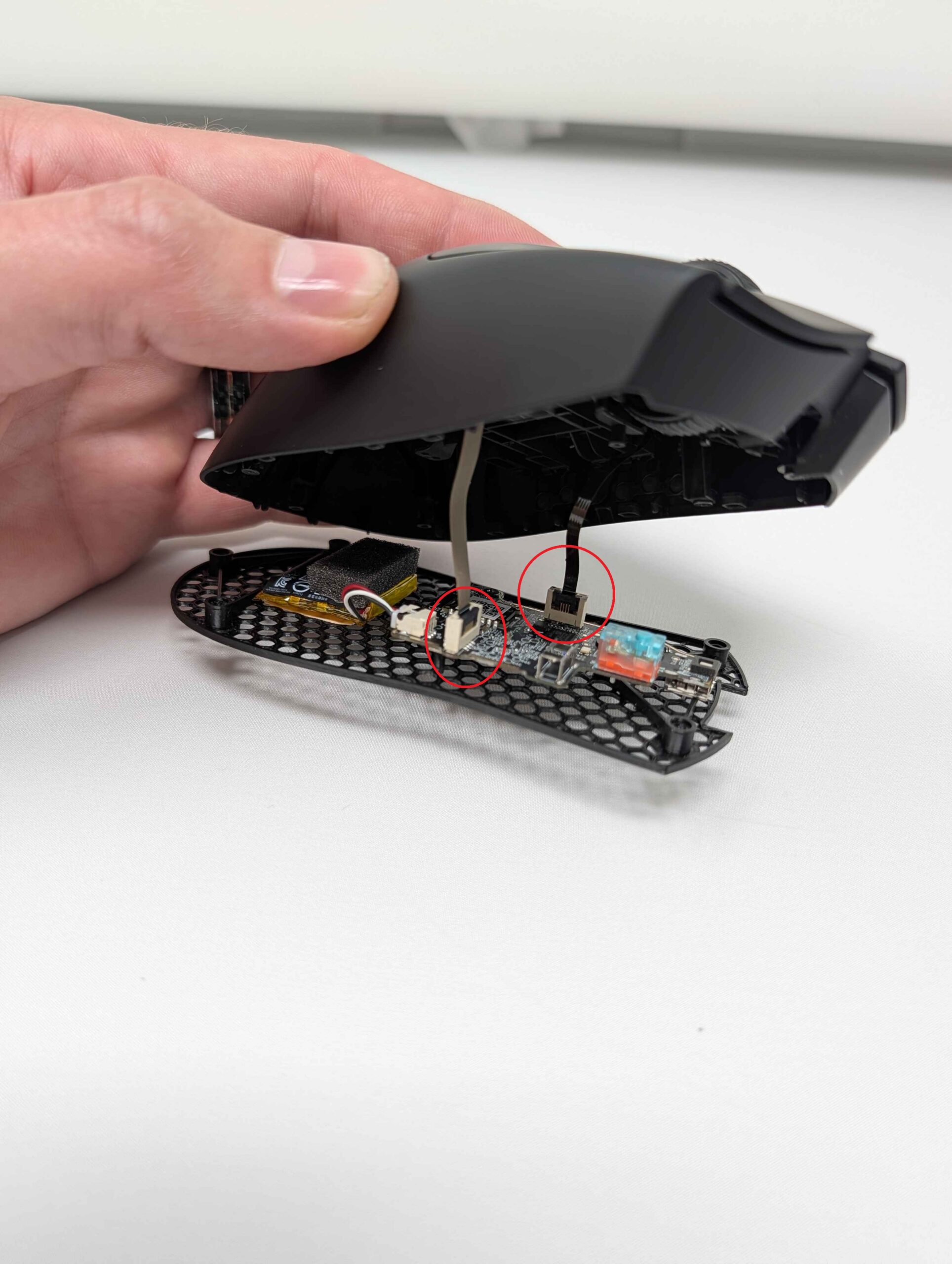
3) Pull the 2 flex ribbon cable’s out of the PC board. Set the top shell off to the side.
4) Unscrew the three #00 philips screws holding the PC board to the base. Unplug the battery and then pull the PC board straight up off the base to remove it.
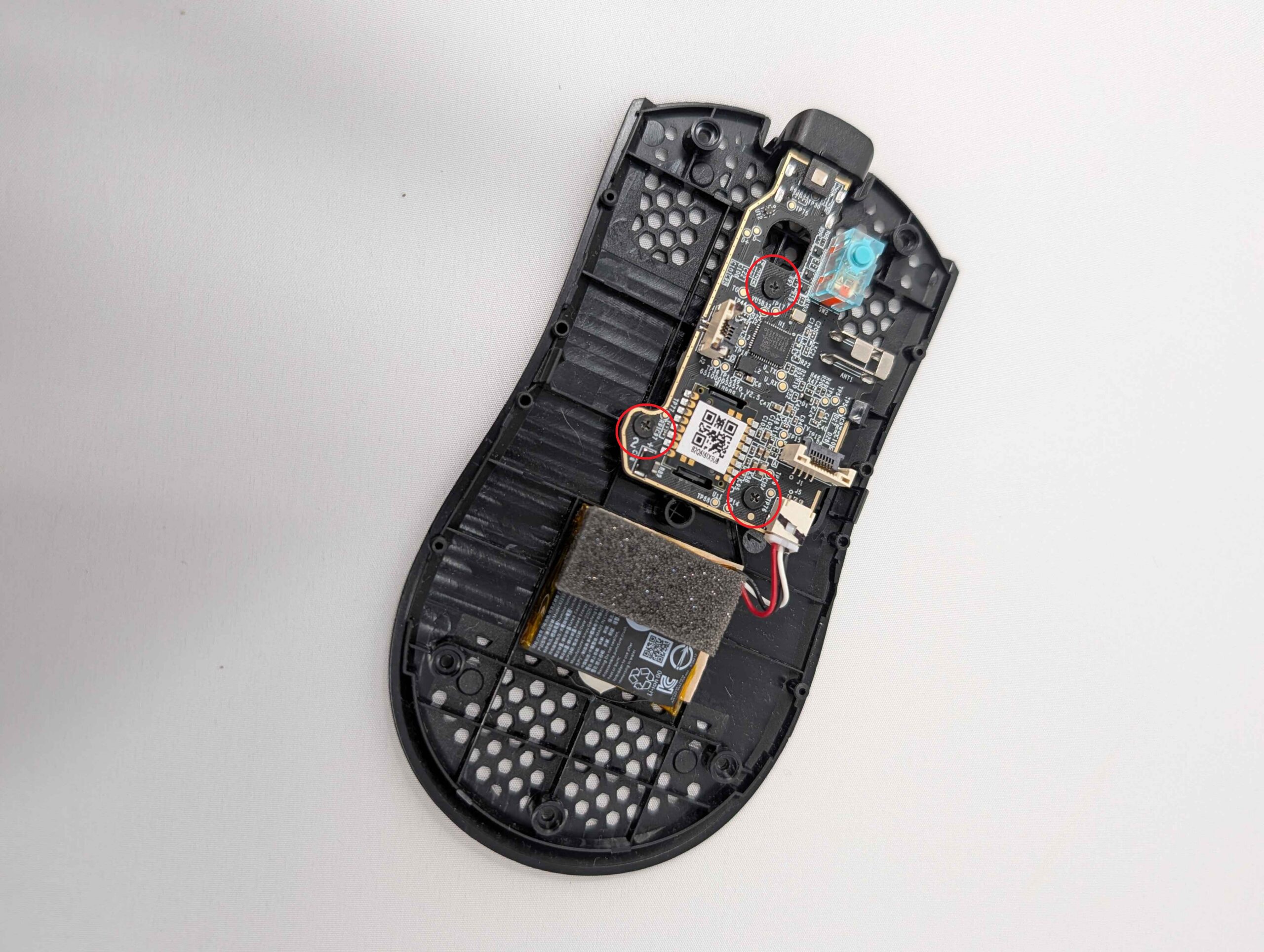
5) Screw in the three #00 philips screws to attach the PC board to your new Aero Mod base. Plug in the battery.
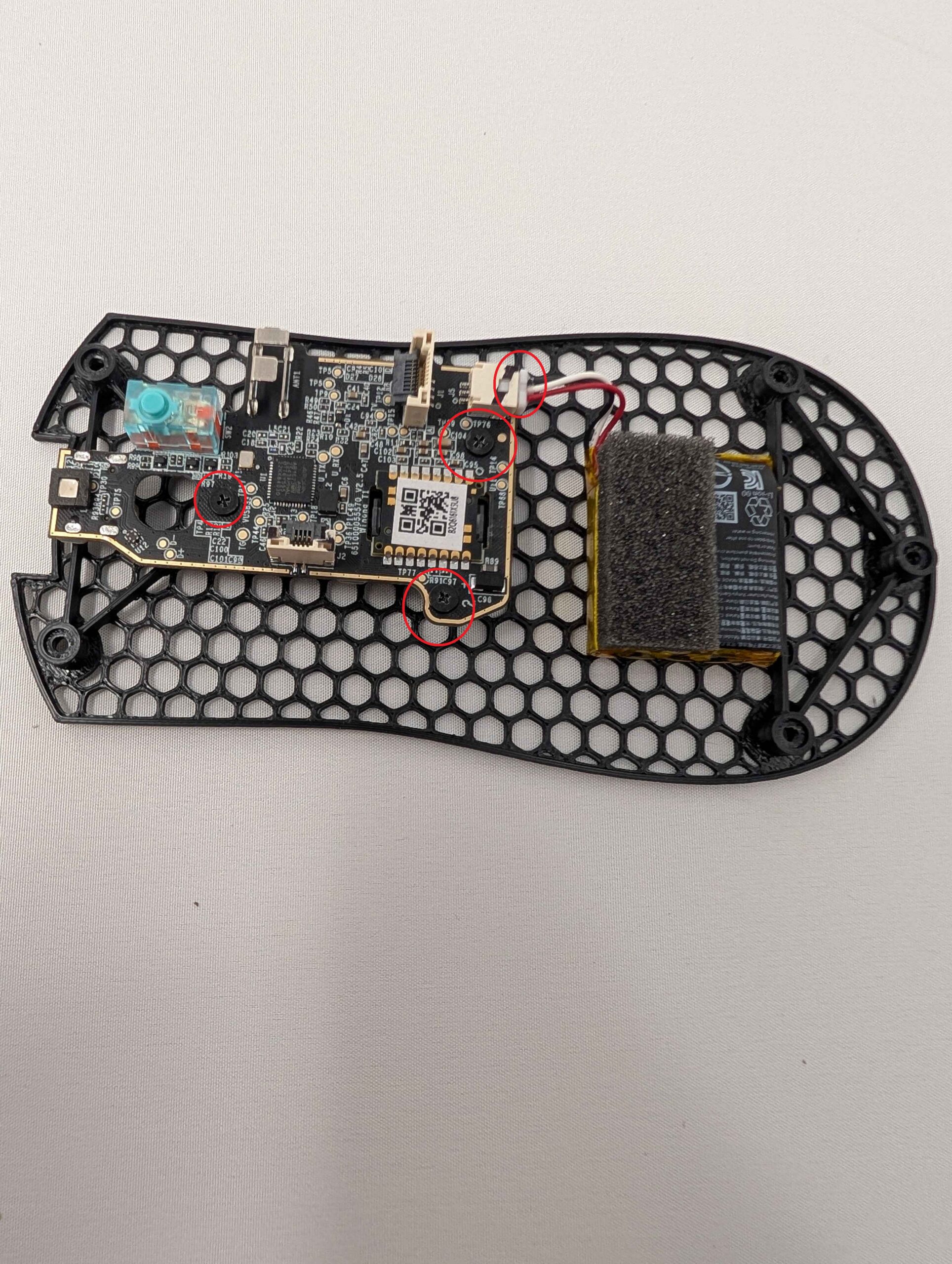
6) Reconnect both ribbon cables to the PC board. Make sure the cables are properly seated.
7) Screw in the 5 T6 torx screws, do not overtighten.
8) Stick on some new mouse skates. They are positioned in the same spot as they were on the original base.
Congratulations, your lightweight Viper V4 Pro is ready to use!

 No products in the cart.